Certification of Teacher Aide Service, Teacher Corps Service, and Job Corps Service – Acts 93-768 / 98-385
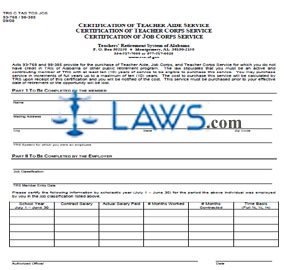


Members of the Retirement Systems of Alabama or of the Teachers' Retirement System with 10 years' contributing membership service or more may purchase up to 10 years of out-of-state service in the same capacities by filing the form discussed in this article. It can be obtained from the website maintained by the Retirement Systems of Alabama.
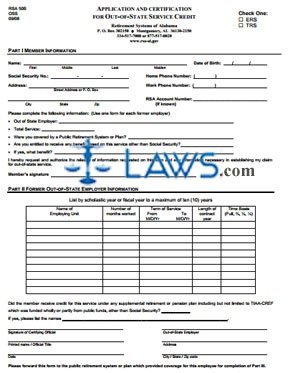
Alabama Application And Certification For Out-Of-State Service Credit Step 1: Part I should be completed by you. Enter your full name on the first line.
Alabama Application And Certification For Out-Of-State Service Credit Step 2: On the second line, enter your date of birth.
Alabama Application And Certification For Out-Of-State Service Credit Step 3: On the third line, enter your Social Security number.
Alabama Application And Certification For Out-Of-State Service Credit Step 4: On the fourth line, enter your home phone number.
Alabama Application And Certification For Out-Of-State Service Credit Step 5: On the fifth line, enter your street address or P.O. box.
Alabama Application And Certification For Out-Of-State Service Credit Step 6: On the sixth line, enter your work phone number.
Alabama Application And Certification For Out-Of-State Service Credit Step 7: On the seventh line, enter your city, state and zip code.
Alabama Application And Certification For Out-Of-State Service Credit Step 8: If you know your RSA account number, enter it on the eighth line.
Alabama Application And Certification For Out-Of-State Service Credit Step 9: On the ninth line, enter the name of the out-of-state employer. A separate form must be submitted for each one.
Alabama Application And Certification For Out-Of-State Service Credit Step 10: On the tenth line, enter the total duration of service.
Alabama Application And Certification For Out-Of-State Service Credit Step 11: On the eleventh line, note whether or not you were covered by a public retirement system or plan.
Alabama Application And Certification For Out-Of-State Service Credit Step 12: On the twelfth line, note if you are entitled to receive any benefit based on this service other than Social Security. If yes, note what kind on the thirteenth line. Sign Part I.
Alabama Application And Certification For Out-Of-State Service Credit Step 13: Part II should be completed by an official of your out-of-state employer, while Part III should be completed by a representative of your out-of-state retirement plan.


INSTRUCTIONS: ALABAMA RETIREMENT APPLICATION PACKET FOR STATE EMPLOYEES PART I
Alabama public employees who live in the state can use the packet discussed in this article to initiate the retirement process. This packet can be obtained from the website maintained by the Retirement Systems of Alabama.
Alabama Retirement Application Packet For State Employees Part I Step 1: The first page is a cover page detailing the contents of the packet.
Alabama Retirement Application Packet For State Employees Part I Step 2: The second page contains a checklist for completion of the retirement process.
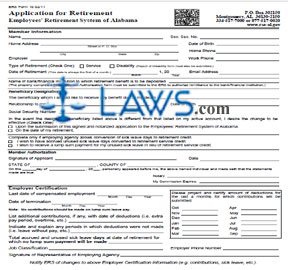
Alabama Retirement Application Packet For State Employees Part I Step 3: The third page contains ERS form 10, the actual application for retirement. The first section concerns the member. Provide all information requested.
Alabama Retirement Application Packet For State Employees Part I Step 4: Enter the name of the bank or financial institution to which retirement benefits should be deposited.
Alabama Retirement Application Packet For State Employees Part I Step 5: Enter the name, relationship to you, Social Security number and date of birth of your designated beneficiary.
Alabama Retirement Application Packet For State Employees Part I Step 6: If the designated beneficiary named here is different from the one listed on your account, indicate with a check mark whether you would like the change to take effect upon the submission of this signed and notarized document or on the date of your retirement.
Alabama Retirement Application Packet For State Employees Part I Step 7: Sign and date the form where indicated, then obtain the certification of a notary public.
Alabama Retirement Application Packet For State Employees Part I Step 8: Have your employer complete the bottom of the page.
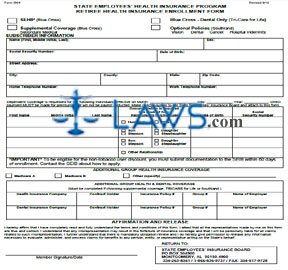
Alabama Retirement Application Packet For State Employees Part I Step 9: The fourth page contains ERS form 12, an insurance authorization form. Provide all information requested about your wishes regarding health insurance.
Alabama Retirement Application Packet For State Employees Part I Step 10: Obtain the certification of a notary public, then have your employer complete the bottom of this form.
Alabama Retirement Application Packet For State Employees Part I Step 11: The fifth and sixth pages contain form RSA DDR, used to authorize the direct deposit of benefit funds into your bank account. Provide all information requested. Your financial institution should complete the fifth page.

INSTRUCTIONS: ALABAMA TRANSFER OF MEMBERSHIP FROM TEACHERS' RETIREMENT SYSTEM (Form TRS TRF TR-1)
To transfer your membership from the Alabama Teachers' Retirement System, a form TRS TRF TR-1 should be filed. This document can be obtained from the website maintained by the Retirement Systems of Alabama.
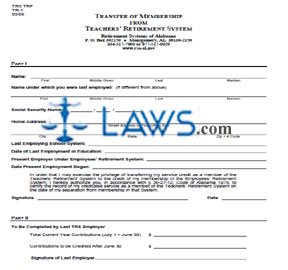
Alabama Transfer Of Membership From Teachers' Retirement System TRS TRF TR-1 Step 1: Part I should be completed by you. Enter your first name, given middle name, last name and (if applicable) maiden name on the first blank line.
Alabama Transfer Of Membership From Teachers' Retirement System TRS TRF TR-1 Step 2: Enter the name under which you were last employed, if different from the above, on the second blank line.
Alabama Transfer Of Membership From Teachers' Retirement System TRS TRF TR-1 Step 3: Enter your Social Security number on the third blank line.
Alabama Transfer Of Membership From Teachers' Retirement System TRS TRF TR-1 Step 4: Enter your home street address or P.O. box number on the fourth blank line.
Alabama Transfer Of Membership From Teachers' Retirement System TRS TRF TR-1 Step 5: Enter your city, state and zip code on the fifth blank line.
Alabama Transfer Of Membership From Teachers' Retirement System TRS TRF TR-1 Step 6: Enter your last employing school system on the sixth blank line.
Alabama Transfer Of Membership From Teachers' Retirement System TRS TRF TR-1 Step 7: Enter the date of your last employment in education on the seventh blank line.
Alabama Transfer Of Membership From Teachers' Retirement System TRS TRF TR-1 Step 8: Enter the name of your present employer under the Employees' Retirement System on the eighth blank line.
Alabama Transfer Of Membership From Teachers' Retirement System TRS TRF TR-1 Step 9: Enter the date on which your present employment began on the ninth blank line.
Alabama Transfer Of Membership From Teachers' Retirement System TRS TRF TR-1 Step 10: Enter your signature on the tenth blank line.
Alabama Transfer Of Membership From Teachers' Retirement System TRS TRF TR-1 Step 11: Enter the date on the eleventh blank line.
Alabama Transfer Of Membership From Teachers' Retirement System TRS TRF TR-1 Step 12: Part II should be completed by your last TRS employer. They should enter your total current year contributions on the first blank line, contributions to be credited after June 30 on the second blank line, and their signature on the third blank line.

INSTRUCTIONS: ALABAMA DIRECT DEPOSIT AUTHORIZATION
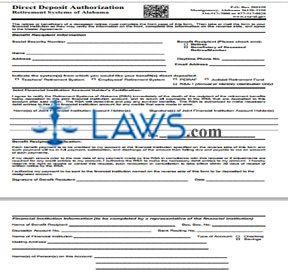
Alabama state employees who retire can use the form discussed in this article to authorize payment of retirement benefits through direct deposit. This form is found on the website of the Retirement Systems of Alabama.
Alabama Direct Deposit Authorization Step 1: The first section requires information about the benefits recipient. Indicate with a check mark whether this is the retiree or the beneficiary of a deceased retiree or member.
Alabama Direct Deposit Authorization Step 2: On the first blank line, enter the beneficiary's Social Security number.
Alabama Direct Deposit Authorization Step 3: On the second blank line, enter their name.
Alabama Direct Deposit Authorization Step 4: On the third, fourth and fifth blank lines, enter the beneficiary's complete address.
Alabama Direct Deposit Authorization Step 5: On the sixth blank line, enter the beneficiary's daytime phone number.
Alabama Direct Deposit Authorization Step 6: On the seventh blank line, enter the beneficiary's email address.
Alabama Direct Deposit Authorization Step 7: Indicate with a check mark which system or systems you would like your benefits direct deposited from.
Alabama Direct Deposit Authorization Step 8: The next section is to be completed if a joint financial institution account is concerned. If so, the names and signatures of all joint financial institution account holders should be provided, as well as the date.
Alabama Direct Deposit Authorization Step 9: The benefit recipient should sign and date the bottom of the first page.
Alabama Direct Deposit Authorization Step 10: The reverse side of the page should be completed by a representative of the financial institution. In the first blank line of the first section on this page, the name of the beneficiary should be entered.
Alabama Direct Deposit Authorization Step 11: The financial institution representative should enter the beneficiary's Social Security number in the second blank line, the depositor's account number in the third blank line, the routing number on the fourth line, and the name of the financial institution on the fifth line. Indicate whether this is a checking or savings account with a check mark.
Alabama Direct Deposit Authorization Step 12: The financial institution representative should enter their business mailing address and the name or names of all persons on this account. The representative should print and sign their name at the bottom of this page, as well as providing the date and their telephone number.

INSTRUCTIONS: WITHHOLDING CERTIFICATE FOR PENSION OR ANNUITY PAYMENTS (Form W-4P)
All or a portion of your Arizona pension benefit may be considered federally taxable. You may complete a federal form W-4P to give the Arizona State Retirement System instructions on how to withhold federal taxes from your pension or annuity payments. This document can be obtained from the website maintained by the Internal Revenue Service.
Withholding Certificate For Pension Or Annuity Payments W-4P Step 1: The top section of the form is a personal allowances worksheet to be completed for your records. Enter "1" for yourself if you cannot be claimed as a dependent by anyone else on line 1 and meet at least one of the three other listed requirements. If you meet another one, enter another "1" on line 2. You may enter the same figure for your spouse on line C.
Withholding Certificate For Pension Or Annuity Payments W-4P Step 2: Enter the total number of dependents you will be claiming on line D, and enter "1" on line E if you will be filing as head of household.
Withholding Certificate For Pension Or Annuity Payments W-4P Step 3: Line F concerns the child tax credit. Total lines A through F and enter the sum on line G.
Withholding Certificate For Pension Or Annuity Payments W-4P Step 4: Detach the worksheet from the bottom half of the page along the line where indicated.
Withholding Certificate For Pension Or Annuity Payments W-4P Step 5: On the first line of the form, enter your first name and middle initial, last name and Social Security number.
Withholding Certificate For Pension Or Annuity Payments W-4P Step 6: On the next two lines, enter your full home address. On the right, enter your claim or identification number of your pension or annuity contract.
Withholding Certificate For Pension Or Annuity Payments W-4P Step 7: Check line 1 if you do not wish to have federal income tax withheld from your pension or annuity. If so, do not complete the remainder of the form.
Withholding Certificate For Pension Or Annuity Payments W-4P Step 8: Complete the Deductions and Adjustments Worksheet on the second page to complete line 2.
Withholding Certificate For Pension Or Annuity Payments W-4P Step 9: Complete the Multiple Pensions/More-Than-One-Income Worksheet on the second page to complete line 3.


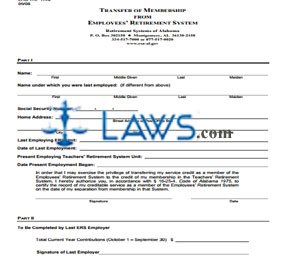
INSTRUCTIONS: ALABAMA TRANSFER OF MEMBERSHIP FROM EMPLOYEES' RETIREMENT SYSTEM
Alabama government employees who transition into a state teaching job may use the form discussed in this article to transfer their service credits from the Employees' Retirement System to the Teachers' Retirement System. This form can be found on the website of the Retirement Systems of Alabama.
Alabama Transfer Of Membership From Employees' Retirement System Step 1: On the first line, enter your first, middle and last name, as well as your maiden name if applicable.
Alabama Transfer Of Membership From Employees' Retirement System Step 2: If the name under which you were employed was different, enter your employment name on the second line.
Alabama Transfer Of Membership From Employees' Retirement System Step 3: On the third line, provide your Social Security number.
Alabama Transfer Of Membership From Employees' Retirement System Step 4: On the fourth line, provide your street address or post office box number.
Alabama Transfer Of Membership From Employees' Retirement System Step 5: On the fifth line, enter your city, state and zip code.
Alabama Transfer Of Membership From Employees' Retirement System Step 6: On the sixth line, enter the name of the last Employees' Retirement System unit which employed you.
Alabama Transfer Of Membership From Employees' Retirement System Step 7: On the seventh line, enter the date of your last employment with that unit.
Alabama Transfer Of Membership From Employees' Retirement System Step 8: On the eighth line, enter the date on which you began your current employment with your Teachers' Retirement System unit.
Alabama Transfer Of Membership From Employees' Retirement System Step 9: On the ninth line, enter the date on which your present employment began.
Alabama Transfer Of Membership From Employees' Retirement System Step 10: Sign and date Part I.
Alabama Transfer Of Membership From Employees' Retirement System Step 11: Part II at the bottom of the page is to be completed by your last Employees' Retirement System employer. They should enter your total current year contributions during the date range provided and provide their signature.
Alabama Transfer Of Membership From Employees' Retirement System Step 12: The form should be filed by mailing it to the address given at the top of the form. Those requiring additional assistance with completing this form can call the support telephone number provided there.