Home Probate Page 67

Probate

Instructions for Completing Affidavit for the Collection of Personal Property
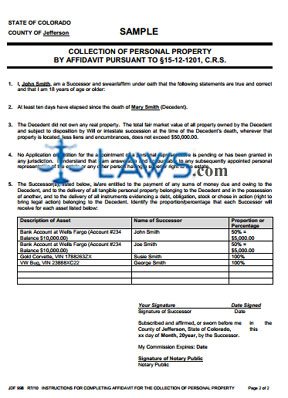
Instructions for Completing Affidavit for the Collection of Personal Property


INSTRUCTIONS: COLORADO INSTRUCTIONS FOR COMPLETING AFFIDAVIT FOR THE COLLECTION OF PERSONAL PROPERTY (Form JDF 998)


The form discussed in this article is an instructional document to help those who must complete an affidavit for the collection of personal property as part of a Colorado probate case. This document can be obtained from the website maintained by the Colorado Judicial Branch.


Colorado Instructions For Completing Affidavit For The Collection Of Personal Property JDF 998 Step 1: The first paragraph states that this document is for informational purposes only and does not constitute legal advice.


Colorado Instructions For Completing Affidavit For The Collection Of Personal Property JDF 998 Step 2: The second paragraph states the type of probate process discussed in this article does not require a filing with the court.


Colorado Instructions For Completing Affidavit For The Collection Of Personal Property JDF 998 Step 3: The third paragraph outlines the actions that any interested person can take regarding collection of personal property.


Colorado Instructions For Completing Affidavit For The Collection Of Personal Property JDF 998 Step 4: The fourth paragraph states that the affidavit can be completed at any time ten or more days after the death of the decedent.


Colorado Instructions For Completing Affidavit For The Collection Of Personal Property JDF 998 Step 5: The fifth paragraph states that the affidavit can be completed as long as the value of the estate is less than $61,000 and it does not contain any real estate.


Colorado Instructions For Completing Affidavit For The Collection Of Personal Property JDF 998 Step 6: The sixth paragraph states that if you complete the affidavit, you are responsible for distribution of the property in proportion as identified in the affidavit.


Colorado Instructions For Completing Affidavit For The Collection Of Personal Property JDF 998 Step 7: The seventh paragraph states you cannot use the affidavit if there is a pending appointment of a personal representative or the appointment of one has been granted in this or any other state.


Colorado Instructions For Completing Affidavit For The Collection Of Personal Property JDF 998 Step 8: The eighth paragraph states that the affidavit is not filed with the court.


Colorado Instructions For Completing Affidavit For The Collection Of Personal Property JDF 998 Step 9: The rest of the form contains further information to aid in completion of the affidavit.
 

Download the PDF file .

Receipt and Release

Receipt and Release


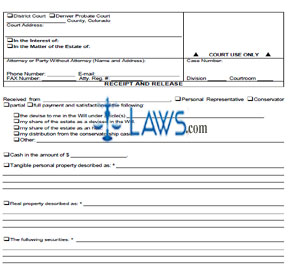
INSTRUCTIONS: COLORADO RECEIPT AND RELEASE (Form JDF 731)


The form discussed in this article is filed as a receipt and release to acknowledge distribution from a Colorado estate or conservatorship. This document can be obtained from the website maintained by the Colorado Judicial Branch.


Colorado Receipt And Release JDF 731 Step 1: In the first box, indicate with a check mark whether you are filing in district court or Denver Probate Court. Additionally, provide the county in which the court is located and its address.


Colorado Receipt And Release JDF 731 Step 2: In the second box, indicate with a check mark whether this is in the interest of or estate of a party and enter the party's name.


Colorado Receipt And Release JDF 731 Step 3: Enter the name and address of your attorney in the third box, as well as their phone number, email address, fax number and attorney registration number. If not represented by a lawyer, enter your name, address, phone number, email address and fax number.


Colorado Receipt And Release JDF 731 Step 4: In the fourth box, enter the case number, division and courtroom.


Colorado Receipt And Release JDF 731 Step 5: On the next blank line, enter the name of the personal representative or conservator. Indicate which with a check mark.


Colorado Receipt And Release JDF 731 Step 6: Indicate with a check mark whether you received a partial or full distribution.


Colorado Receipt And Release JDF 731 Step 7: Check the next box if you received partial or full distribution for the devise to you of a will and provide the applicable articles.


Colorado Receipt And Release JDF 731 Step 8: Check the next box if you received partial or full distribution of your share of an estate as a devisee in a will.


Colorado Receipt And Release JDF 731 Step 9: Check the next box if you received partial or full distribution of your share of an estate as a heir.


Colorado Receipt And Release JDF 731 Step 10: Check the next box if you received partial or full distribution of a conservatorship case.


Colorado Receipt And Release JDF 731 Step 11: Check the next box if you received a partial or full distribution not described above and specify.


Colorado Receipt And Release JDF 731 Step 12: Complete the rest of the form as instructed.


Download the PDF file .

Consent of Parent

Consent of Parent


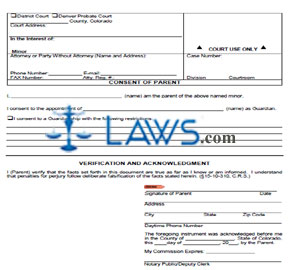
INSTRUCTIONS: COLORADO CONSENT OF PARENT (Form JDF 825)


The form discussed in this article is filed by a Colorado parent to consent to the appointment of a nominated guardian. This document can be obtained from the website maintained by the Colorado Judicial Branch.


Colorado Consent Of Parent JDF 825 Step 1: Check the first box if filing in district court.


Colorado Consent Of Parent JDF 825 Step 2: Check the second box if filing in Denver Probate Court.


Colorado Consent Of Parent JDF 825 Step 3: On the first blank line, enter the name of the county in which the court is located.


Colorado Consent Of Parent JDF 825 Step 4: Where indicated, enter the court address.


Colorado Consent Of Parent JDF 825 Step 5: In the second box, enter the name of the minor.


Colorado Consent Of Parent JDF 825 Step 6: In the third box, enter the name of your attorney, as well as their address, phone number, fax number, email address and attorney registration number. If not represented by an attorney, instead enter your name, address, phone number, email address and fax number.


Colorado Consent Of Parent JDF 825 Step 7: In the fourth box, enter the case number, division and courtroom.


Colorado Consent Of Parent JDF 825 Step 8: On the next blank line, enter your name.


Colorado Consent Of Parent JDF 825 Step 9: On the next blank line, enter the name of the nominated guardian.


Colorado Consent Of Parent JDF 825 Step 10: If you are consenting to a guardianship with restrictions, check the next box and detail your restrictions.


Colorado Consent Of Parent JDF 825 Step 11: On the next blank line, enter your signature and the date.


Colorado Consent Of Parent JDF 825 Step 12: On the next blank line, enter your street address.


Colorado Consent Of Parent JDF 825 Step 13: On the next blank line, enter your city, state and zip code.


Colorado Consent Of Parent JDF 825 Step 14: On the next blank line, enter your daytime phone number.


Colorado Consent Of Parent JDF 825 Step 15: The form should be sworn to in the presence of a notary public or deputy clerk, who will complete the bottom of the document by entering the county, the date, the date on which their commission expires and their signature.


Download the PDF file .

Letters of Conservatorship – Adult

Letters of Conservatorship - Adult


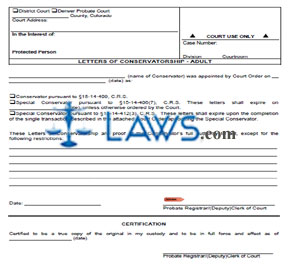
INSTRUCTIONS: COLORADO LETTERS OF CONSERVATORSHIP – ADULT (Form JDF 880)


The form discussed in this article is issued by a Colorado court as part of the process of appointing a conservator for an adult. This document can be obtained from the website maintained by the Colorado Judicial Branch.


Colorado Letters Of Conservatorship – Adult JDF 880 Step 1: Indicate with a check mark whether you are filing in district court or Denver Probate Court.


Colorado Letters Of Conservatorship – Adult JDF 880 Step 2: On the first blank line, enter the name of the county in which the court is located.


Colorado Letters Of Conservatorship – Adult JDF 880 Step 3: Enter the address of the court where indicated.


Colorado Letters Of Conservatorship – Adult JDF 880 Step 4: In the second box, enter the name of the protected person.


Colorado Letters Of Conservatorship – Adult JDF 880 Step 5: In the third box, enter the case number, division and courtroom.


Colorado Letters Of Conservatorship – Adult JDF 880 Step 6: On the next blank line, enter the name of the conservator.


Colorado Letters Of Conservatorship – Adult JDF 880 Step 7: On the next blank line, enter the date of the appointment of the conservator.


Colorado Letters Of Conservatorship – Adult JDF 880 Step 8: Check the first box if the person was appointed to the position of conservator.


Colorado Letters Of Conservatorship – Adult JDF 880 Step 9: Check the second box if the person was appointed to the position of special conservator with an expiration date and enter the date.


Colorado Letters Of Conservatorship – Adult JDF 880 Step 10: Check the third box if the person was appointed to the position of special conservator for a single transaction and their powers will expire upon completion of this transaction.


Colorado Letters Of Conservatorship – Adult JDF 880 Step 11: Where indicated, note any restrictions on the authority to act of the conservator.


Colorado Letters Of Conservatorship – Adult JDF 880 Step 12: Enter the date on the next blank line.


Colorado Letters Of Conservatorship – Adult JDF 880 Step 13: The probate registrar, clerk of court or deputy clerk of court should enter their signature on the next blank line. They should enter the date and their signature on the next two blank lines.


Download the PDF file .

Order for Informal Appointment of Personal Representative

Order for Informal Appointment of Personal Representative


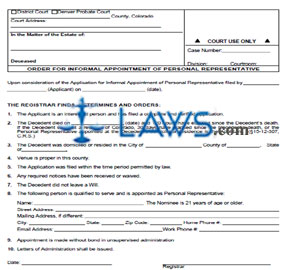
INSTRUCTIONS: COLORADO ORDER FOR INFORMAL APPOINTMENT OF PERSONAL REPRESENTATIVE (Form JDF 917)


The form discussed in this article is issued by a Colorado court in order to informally appoint a personal representative for a Colorado estate. This document can be obtained from the website maintained by the Colorado Judicial Branch.


Colorado Order For Informal Appointment Of Personal Representative JDF 917 Step 1: In the first box, indicate with a check mark whether the form is being issued in district court or Denver Probate Court. Additionally, provide the county in which the court is located and its address.


Colorado Order For Informal Appointment Of Personal Representative JDF 917 Step 2: In the second box, enter the name of the decedent whose estate is involved.


Colorado Order For Informal Appointment Of Personal Representative JDF 917 Step 3: In the third box, enter the case number, division and courtroom.


Colorado Order For Informal Appointment Of Personal Representative JDF 917 Step 4: On the next blank line, enter the name of the applicant who filed the Application for Informal Appointment of Personal Representative.


Colorado Order For Informal Appointment Of Personal Representative JDF 917 Step 5: On the next blank line, enter the date on which the application was filed.


Colorado Order For Informal Appointment Of Personal Representative JDF 917 Step 6: On line 2, enter the date of death.


Colorado Order For Informal Appointment Of Personal Representative JDF 917 Step 7: On line 3, enter the city, county and state in which the decedent resided or was domiciled.


Colorado Order For Informal Appointment Of Personal Representative JDF 917 Step 8: On the first blank line of line 8, enter the name of the person being appointed.


Colorado Order For Informal Appointment Of Personal Representative JDF 917 Step 9: On the next two blank lines, enter the representative's street address and (if different) mailing address).


Colorado Order For Informal Appointment Of Personal Representative JDF 917 Step 10: On the next three blank lines, enter the representative's city, state and zip code.


Colorado Order For Informal Appointment Of Personal Representative JDF 917 Step 11: On the next three blank lines, enter the applicant's home phone number, email address and work phone number.


Colorado Order For Informal Appointment Of Personal Representative JDF 917 Step 12: The registrar should date and sign the last two blank lines.


Download the PDF file .

Notice to Creditors by Publication

Notice to Creditors by Publication


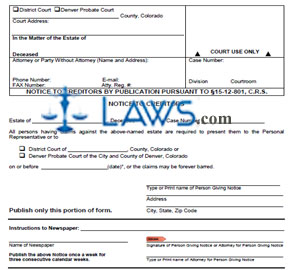
INSTRUCTIONS: COLORADO NOTICE TO CREDITORS BY PUBLICATION (Form JDF 943)


The form discussed in this article is published to give notice to potential creditors that they must file a claim on a Colorado estate by a certain date. The document can be obtained from the website maintained by the Colorado Judicial Branch.


Colorado Notice To Creditors By Publication JDF 943 Step 1: Check the first box if you are filing in district court.


Colorado Notice To Creditors By Publication JDF 943 Step 2: Check the second box if you are filing in Denver Probate Court.


Colorado Notice To Creditors By Publication JDF 943 Step 3: On the first blank line, enter the name of the county in which the court is located.


Colorado Notice To Creditors By Publication JDF 943 Step 4: Enter the address of the court where indicated.


Colorado Notice To Creditors By Publication JDF 943 Step 5: In the second box, enter the name of the decedent whose estate is concerned.


Colorado Notice To Creditors By Publication JDF 943 Step 6: Enter the name and address of your attorney in the third box, as well as their phone number, fax number, email address and attorney registration number. Those who are not represented by a lawyer should enter their name, address, phone number, fax number and email address instead.


Colorado Notice To Creditors By Publication JDF 943 Step 7: In the fourth box, enter the case number, division and courtroom.


Colorado Notice To Creditors By Publication JDF 943 Step 8: On the next blank line, enter the name of the deceased.


Colorado Notice To Creditors By Publication JDF 943 Step 9: On the next blank line, enter the case number.


Colorado Notice To Creditors By Publication JDF 943 Step 10: Check the first box if claims must be presented to either the personal representative or a district court and enter the county in which the court is located.


Colorado Notice To Creditors By Publication JDF 943 Step 11: Check the second box if claims must be presented to either the personal representative or the Denver Probate Court.


Colorado Notice To Creditors By Publication JDF 943 Step 12: Enter the date on which claims are due on the next blank line.


Colorado Notice To Creditors By Publication JDF 943 Step 13: Complete the rest of the form as instructed.


Download the PDF file .

Certificate of Registrar

Certificate of Registrar


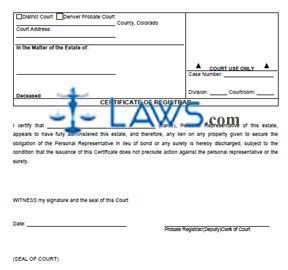
INSTRUCTIONS: COLORADO CERTIFICATE OF REGISTRAR (Form JDF 968)


The form discussed in this article is filed by a Colorado registrar to certify the full administration of an estate. This document can be obtained from the website maintained by the Judicial Branch of the state of Colorado.


Colorado Certificate Of Registrar JDF 968 Step 1: In the first blank box, check the first box if this form is being filed in a district court.


Colorado Certificate Of Registrar JDF 968 Step 2: Check the second box if this form is being filed in Denver Probate Court.


Colorado Certificate Of Registrar JDF 968 Step 3: Enter the county in which the court is located.


Colorado Certificate Of Registrar JDF 968 Step 4: Enter the address of the court.


Colorado Certificate Of Registrar JDF 968 Step 5: In the second blank box, enter the name of the decedent whose estate is concerned.


Colorado Certificate Of Registrar JDF 968 Step 6: On the first line of the third blank box, enter the case number.


Colorado Certificate Of Registrar JDF 968 Step 7: On the second line, enter the division.


Colorado Certificate Of Registrar JDF 968 Step 8: On the third line, enter the courtroom.


Colorado Certificate Of Registrar JDF 968 Step 9: On the next blank line, enter the name of the personal representative. This paragraph states that administration of the estate has been fully completed by the personal representative, and that any lien on any property given to secure their obligation in lieu of bond or any surety is discharged, subject to the condition that the issuance of this certificate does not preclude legal action being taken against the personal representative or their surety. Note that the issuance of this certificate does not preclude the possibility of re-opening the estate at a later date, which can also be petitioned for by a person interested in the estate.


Colorado Certificate Of Registrar JDF 968 Step 10: On the next blank line, enter the date.


Colorado Certificate Of Registrar JDF 968 Step 11: On the next blank line, the probate registrar , clerk of court or deputy clerk of court should provide their signature.


Colorado Certificate Of Registrar JDF 968 Step 12: The seal of the court should be affixed where indicated at the bottom of the page.


Download the PDF file .

Authorization to Release Will Held for Safe Keeping


INSTRUCTIONS: MICHIGAN AUTHORIZATION TO RELEASE WILL HELD FOR SAFEKEEPING (Form PC 548)


The form discussed in this article is used to authorize the release of your will to a specified person if it is being held by your Michigan county probate court for safekeeping. This document can be obtained from the website maintained by the Michigan Courts system.


Michigan Authorization To Release Will Held For Safekeeping PC 548 Step 1: Enter the file number where indicated.


Michigan Authorization To Release Will Held For Safekeeping PC 548 Step 2: On the first blank line, enter the name of the person whose will is concerned.


Michigan Authorization To Release Will Held For Safekeeping PC 548 Step 3: On the next blank line, enter the name of the person to whom you are authorizing the court to deliver a sealed envelope containing your will and, if applicable, any codicils.


Michigan Authorization To Release Will Held For Safekeeping PC 548 Step 4: On the next blank line, enter the name of the county in which the probate court is located.


Michigan Authorization To Release Will Held For Safekeeping PC 548 Step 5: On the next blank line, enter the date.


Michigan Authorization To Release Will Held For Safekeeping PC 548 Step 6: On the next blank line, provide your signature.


Michigan Authorization To Release Will Held For Safekeeping PC 548 Step 7: On the next blank line, enter your street address.


Michigan Authorization To Release Will Held For Safekeeping PC 548 Step 8: On the next blank line, enter your city, state and zip code.


Michigan Authorization To Release Will Held For Safekeeping PC 548 Step 9: On the next blank line, enter the last four digits of your Social Security number or your Michigan driver's license number.


Michigan Authorization To Release Will Held For Safekeeping PC 548 Step 10: The next section should be completed by a witness. On the first blank line, enter their name.


Michigan Authorization To Release Will Held For Safekeeping PC 548 Step 11: On the next blank line, enter the date.


Michigan Authorization To Release Will Held For Safekeeping PC 548 Step 12: On the next blank line, the witness should provide their signature.


Michigan Authorization To Release Will Held For Safekeeping PC 548 Step 13: The bottom of the form should be certified by a notary public.


Download the PDF file .

Order of Formal Proceedings


INSTRUCTIONS: MICHIGAN ORDER OF FORMAL PROCEEDINGS (Form PC 569)


The form discussed in this article is issued by a Michigan court to order formal proceedings in a probate case concerning an estate. This document can be obtained from the website maintained by the Michigan Courts system.


Michigan Order Of Formal Proceedings PC 569 Step 1: Enter the file number where indicated.


Michigan Order Of Formal Proceedings PC 569 Step 2: Enter the name of the person whose estate is concerned on the first blank line.


Michigan Order Of Formal Proceedings PC 569 Step 3: On line 1, enter the date of the hearing, the name of the judge, and the judge's bar number.


Michigan Order Of Formal Proceedings PC 569 Step 4: On line 3, enter the date of death.


Michigan Order Of Formal Proceedings PC 569 Step 5: Check the first box on line 3 if the resident is a resident of the county in which you are filing.


Michigan Order Of Formal Proceedings PC 569 Step 6: Check the second box if the resident was a nonresident of Michigan but left property in the county in which you are filing.


Michigan Order Of Formal Proceedings PC 569 Step 7: Check the box on line 5 if the decedent's heirs have been determined. Enter their names and relationships to the decedent.


Michigan Order Of Formal Proceedings PC 569 Step 8: Check the first box on line 6 if the decedent died intestate.


Michigan Order Of Formal Proceedings PC 569 Step 9: Check the second box if the decedent died with a valid, unrevoked will. Provide its date, as well as the date of any of codicils.


Michigan Order Of Formal Proceedings PC 569 Step 10: Check the box on line 7 if naming someone suitable for appointment to position of personal representative and provide their name.


Michigan Order Of Formal Proceedings PC 569 Step 11: If the decedent's will directs supervised administration, check the box on line 8 and indicate with a check mark whether the circumstances bearing on the need for supervised administration have or have not changed. Complete the rest of this section as directed.


Michigan Order Of Formal Proceedings PC 569 Step 12: On line 9, indicate with a check mark whether the petition is granted, denied on the merits, or dismissed and withdrawn. Complete the rest of the form as instructed.


Download the PDF file .

Safe Deposit Box Certificate and Receipt


INSTRUCTIONS: MICHIGAN SAFE-DEPOSIT BOX CERTIFICATE AND RECEIPT (Form PC 552)


The form discussed in this article is filed by a person named in a Michigan order to examine the contents of a safe deposit box of a decedent to search for a will or deed to a burial plot in which the decedent is to be buried. This document can be obtained from the website maintained by the Michigan Courts system.


Michigan Safe-Deposit Box Certificate And Receipt PC 552 Step 1: Enter the file number where indicated.


Michigan Safe-Deposit Box Certificate And Receipt PC 552 Step 2: On the first blank line, enter the name of the person whose estate is concerned.


Michigan Safe-Deposit Box Certificate And Receipt PC 552 Step 3: Check the box on line 1 if a safe-deposit box was located and opened. On the first blank line, enter the number of the box.


Michigan Safe-Deposit Box Certificate And Receipt PC 552 Step 4: On the second blank line, enter the name of the bank, trust or safe-deposit company.


Michigan Safe-Deposit Box Certificate And Receipt PC 552 Step 5: Check the first box on line 1a if a will was found.


Michigan Safe-Deposit Box Certificate And Receipt PC 552 Step 6: Check the second box if a will was not found.


Michigan Safe-Deposit Box Certificate And Receipt PC 552 Step 7: Check the first box on line 1b if a deed to a burial plot in which the decedent is to be buried was found.


Michigan Safe-Deposit Box Certificate And Receipt PC 552 Step 8: Check the second box if a deed to a burial plot in which the decedent is to be buried was not found.


Michigan Safe-Deposit Box Certificate And Receipt PC 552 Step 9: Check the box on line 2 if no safe-deposit box is located.


Michigan Safe-Deposit Box Certificate And Receipt PC 552 Step 10: On the next blank line, enter the date.


Michigan Safe-Deposit Box Certificate And Receipt PC 552 Step 11: On the next two blank lines, enter the signature of the person named by an order to examine the contents of the box and the signature of the attending bank officer or authorized employee.


Michigan Safe-Deposit Box Certificate And Receipt PC 552 Step 12: On the last two blank lines, any other present should enter their signatures.


Download the PDF file .

Attorneys, Get Listed: 30% off

X