Home Probate Page 61

Probate

Certificate of Qualification
Certificate of Qualification


INSTRUCTIONS: KENTUCKY CERTIFICATE OF QUALIFICATION (Form AOC-807)


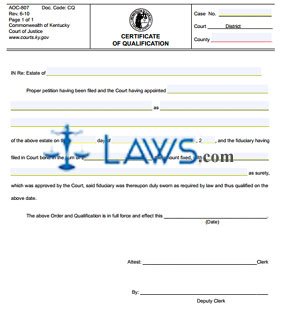
The form discussed in this article is completed by the clerk and deputy clerk of a Kentucky court to certify the qualification of a fiduciary involved in a probate case. As part of the process during which this form is submitted, you may be required to submit a fiduciary bond (form AOC-825). Both of these forms can be obtained from the website maintained by the Kentucky Court of Justice. When completing form AOC-807, you may choose to complete all portions on a computer, which includes the option of selecting your county from a pull-down menu. You are also permitted to print out the form and complete it by hand.


Kentucky Certificate Of Qualification AOC-807 Step 1: Enter the case number on the first blank line.


Kentucky Certificate Of Qualification AOC-807 Step 2: Enter the court on the second blank line.


Kentucky Certificate Of Qualification AOC-807 Step 3: Enter the county on the next blank line.


Kentucky Certificate Of Qualification AOC-807 Step 4: On the next blank line, enter the name of the decedent.


Kentucky Certificate Of Qualification AOC-807 Step 5: On the next blank line, enter the name of the person appointed to the position of fiduciary.


Kentucky Certificate Of Qualification AOC-807 Step 6: On the next blank line, enter the position to which the person was appointed.


Kentucky Certificate Of Qualification AOC-807 Step 7: On the next blank line, enter the date on which this appointment was made.


Kentucky Certificate Of Qualification AOC-807 Step 8: On the next blank line, enter the month in which this appointment was made.


Kentucky Certificate Of Qualification AOC-807 Step 9: On the next blank line, enter the last two digits of the year in which the appointment was made.


Kentucky Certificate Of Qualification AOC-807 Step 10: On the next blank line, enter the amount of the bond filed.


Kentucky Certificate Of Qualification AOC-807 Step 11: On the next blank line, enter the name of the surety.


Kentucky Certificate Of Qualification AOC-807 Step 12: On the next blank line, enter the date.


Kentucky Certificate Of Qualification AOC-807 Step 13: On the next blank line, enter the signature of the clerk.


Kentucky Certificate Of Qualification AOC-807 Step 14: On the next blank line, enter the signature of the deputy clerk.

 

Download the PDF file .

Proof of Subscribing Witness

Proof of Subscribing Witness


INSTRUCTIONS: CALIFORNIA PROOF OF SUBSCRIBING WITNESS (Form DE-131)


The form discussed in this article is filed in California probate cases by a witness who signed the will or codicil of a decedent. This document can be obtained from the website maintained by the California Judicial Branch.


California Proof Of Subscribing Witness DE-131 Step 1: In the first blank box, enter the name of your attorney, as well as their state bar number, address and telephone number. If not represented by an attorney, enter your name, address and telephone number. In either case, providing a fax number or email address is optional.


California Proof Of Subscribing Witness DE-131 Step 2: In the second blank box, enter the name of the county in which the court is located, as well as its street address, mailing address, city, zip code and branch name.


California Proof Of Subscribing Witness DE-131 Step 3: In the third blank box, enter the name of the decedent.


California Proof Of Subscribing Witness DE-131 Step 4: In the fourth blank box, enter the case number.


California Proof Of Subscribing Witness DE-131 Step 5: Check the box on line 1a(1) if the name of the decedent was signed on the document concerned was signed in your presence by the decedent personally.


California Proof Of Subscribing Witness DE-131 Step 6: Check the box on line 1a(2) if the name of the decedent was signed on the document concerned by another person in the decedent's presence and by the decedent's direction.


California Proof Of Subscribing Witness DE-131 Step 7: Check the box on line 1b(1) if in your presence the decedent acknowledged the presence of the attesting witnesses at the same time that they signed their name personally.


California Proof Of Subscribing Witness DE-131 Step 8: Check the box on line 1b(2) if your presence the decedent acknowledged the presence of the attesting witnesses at the same time that another person signed their name in their presence and by their direction.


California Proof Of Subscribing Witness DE-131 Step 9: Check the box on line 1c(1) if the document signed was a will.


California Proof Of Subscribing Witness DE-131 Step 10: Check the box on line 1c(2) if the document signed was a codicil.


California Proof Of Subscribing Witness DE-131 Step 11: Complete the rest of the form as instructed.


Download the PDF file .

DE-260/GC-060 Report of Sale and Petition for Order Confirming Sale of Real Property (Probate—Decedents’ Estates a

DE-260/GC-060 Report of Sale and Petition for Order Confirming Sale of Real Property (Probate—Decedents’ Estates a


INSTRUCTIONS: CALIFORNIA REPORT OF SALE AND PETITION FOR ORDER CONFIRMING SALE OF REAL PROPERTY (Form DE-260/GC-060)


The document discussed in this article is used to report the sale of real property from the California estate of a decedent, conservatee or minor. This form can be obtained from the website maintained by the California Judicial Branch.


California Report Of Sale And Petition For Order Confirming Sale Of Real Property DE-260/GC-060 Step 1: Enter your attorney's name and state bar number in the first blank box, as well as their address and telephone number. If not represented by an attorney, enter your name, address and telephone number. In either instance, providing an email address or fax number is optional.


California Report Of Sale And Petition For Order Confirming Sale Of Real Property DE-260/GC-060 Step 2: In the second blank box, enter the county in which the court is located, in addition to its street address, mailing address, city, zip code and branch name.


California Report Of Sale And Petition For Order Confirming Sale Of Real Property DE-260/GC-060 Step 3: Indicate whether this concerns an estate, conservatorship or guardianship with a check mark.


California Report Of Sale And Petition For Order Confirming Sale Of Real Property DE-260/GC-060 Step 4: Enter the name of the decedent, conservatee or minor. Indicate which with a check mark.


California Report Of Sale And Petition For Order Confirming Sale Of Real Property DE-260/GC-060 Step 5: Check the box where indicated if this form also documents the sale of other property sold as a unit.


California Report Of Sale And Petition For Order Confirming Sale Of Real Property DE-260/GC-060 Step 6: In the last three blank boxes, enter the case number, hearing date and time and department.


California Report Of Sale And Petition For Order Confirming Sale Of Real Property DE-260/GC-060 Step 7: On line 1, indicate with a check mark whether the petitioner is a personal representative, conservator, guardian or purchaser.


California Report Of Sale And Petition For Order Confirming Sale Of Real Property DE-260/GC-060 Step 8: Check the box on line 2b if you are requesting confirmation of the sale of the estate's interest in other property sold as a unit and described in attachment 2c. Complete the rest of the form as instructed.


Download the PDF file .

Attachment to Notice of Hearing Proof of Personal Service (Probate—Decedents’ Estates and Guardiansh

Attachment to Notice of Hearing Proof of Personal Service (Probate—Decedents’ Estates and Guardiansh


INSTRUCTIONS: CALIFORNIA ATTACHMENT TO NOTICE OF HEARING PROOF OF PERSONAL SERVICE (Form DE-120(PA)/GC-020(PA))


The document discussed in this article is filed if there is not sufficient space on the proof of personal service portion of a California notice of hearing form to document all parties who have received notification of a hearing related to an estate, conservatorship, guardianship or related legal matter. This form can be found on the website maintained by the California Judicial Branch.


California Attachment To Notice Of Hearing Proof Of Personal Service DE-120(PA)/GC-020(PA) Step 1: Check the first box if this concerns an estate.


California Attachment To Notice Of Hearing Proof Of Personal Service DE-120(PA)/GC-020(PA) Step 2: Check the second box if this concerns a guardianship.


California Attachment To Notice Of Hearing Proof Of Personal Service DE-120(PA)/GC-020(PA) Step 3: Check the third box if this concerns a conservatorship.


California Attachment To Notice Of Hearing Proof Of Personal Service DE-120(PA)/GC-020(PA) Step 4: Check the fourth box if this concerns another matter.


California Attachment To Notice Of Hearing Proof Of Personal Service DE-120(PA)/GC-020(PA) Step 5: Enter the name of the person estate, guardianship, conservatorship or other matter is at issue.


California Attachment To Notice Of Hearing Proof Of Personal Service DE-120(PA)/GC-020(PA) Step 6: In the second blank box, enter the case number.


California Attachment To Notice Of Hearing Proof Of Personal Service DE-120(PA)/GC-020(PA) Step 7: Up to twelve additional people can be documented on one page of this document. In the first column, give the number of each person.


California Attachment To Notice Of Hearing Proof Of Personal Service DE-120(PA)/GC-020(PA) Step 8: In the second column, enter the name of each person.


California Attachment To Notice Of Hearing Proof Of Personal Service DE-120(PA)/GC-020(PA) Step 9: In the third column, enter the address where each person was served.


California Attachment To Notice Of Hearing Proof Of Personal Service DE-120(PA)/GC-020(PA) Step 10: On the next blank line, enter the date on which service was made.


California Attachment To Notice Of Hearing Proof Of Personal Service DE-120(PA)/GC-020(PA) Step 11: On the last blank line, enter the time at which service was made.


Download the PDF file .

Pre-Move Notice of Proposed Change of Personal Residence of Conservatee or Ward

Pre-Move Notice of Proposed Change of Personal Residence of Conservatee or Ward


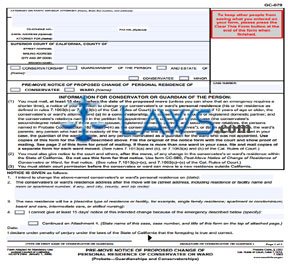
INSTRUCTIONS: CALIFORNIA PRE-MOVE NOTICE OF PROPOSED CHANGE OF PERSONAL RESIDENCE OF CONSERVATEE OR WARD (Form GC-079)


The form discussed in this article is used to notify all parties who are required to receive notification of a proposed change of personal residence for a California conservatee or ward. This must be done at least 15 days before the date of the proposed move. This form can be found on the website maintained by the California Judicial Branch.


California Pre-Move Notice Of Proposed Change Of Personal Residence Of Conservatee Or Ward GC-079 Step 1: In the first blank box, enter your name, state bar number, address and telephone number. If not represented by an attorney, enter your name, address and telephone number. In either instance, providing a fax number or email address is optional.


California Pre-Move Notice Of Proposed Change Of Personal Residence Of Conservatee Or Ward GC-079 Step 2: In the second blank box, enter the county in which the court is located, its street and mailing addresses, city, zip code and branch name.


California Pre-Move Notice Of Proposed Change Of Personal Residence Of Conservatee Or Ward GC-079 Step 3: Indicate with check marks whether this concerns a conservatorship, guardianship of a person, or a conservatorship or guardianship of a person and an estate. 


California Pre-Move Notice Of Proposed Change Of Personal Residence Of Conservatee Or Ward GC-079 Step 4: Enter the name of the conservatee or minor. Indicate which with a check mark.


California Pre-Move Notice Of Proposed Change Of Personal Residence Of Conservatee Or Ward GC-079 Step 5: Indicate whether this concerns the move of a conservatee or ward with a check mark.


California Pre-Move Notice Of Proposed Change Of Personal Residence Of Conservatee Or Ward GC-079 Step 6: Enter the case number where indicated.


California Pre-Move Notice Of Proposed Change Of Personal Residence Of Conservatee Or Ward GC-079 Step 7: On line 1, enter the date of the intended move.


California Pre-Move Notice Of Proposed Change Of Personal Residence Of Conservatee Or Ward GC-079 Step 8: On line 2, enter the proposed new residential address.


California Pre-Move Notice Of Proposed Change Of Personal Residence Of Conservatee Or Ward GC-079 Step 9: Describe the type of residence or facility on line 3.


California Pre-Move Notice Of Proposed Change Of Personal Residence Of Conservatee Or Ward GC-079 Step 10: Complete the rest of the form as instructed.


Download the PDF file .

Letters of Temporary Guardianship or Conservatorship (Probate-Guardianships and Conservatorships)

Letters of Temporary Guardianship or Conservatorship (Probate-Guardianships and Conservatorships)


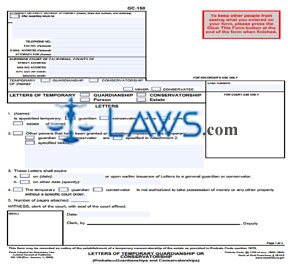
INSTRUCTIONS: CALIFORNIA LETTERS OF TEMPORARY GUARDIANSHIP OR CONSERVATORSHIP (Form GC-150)


The form discussed in this article is issued by a California court to appoint a temporary guardian or conservator for a person or an estate. This document can be obtained from the website maintained by the California Judicial Branch. 


California Letters Of Temporary Guardianship Or Conservatorship GC-150 Step 1: In the first blank box, the name, address, state bar number and telephone number of the attorney or a person representing themselves should be entered. Entering a fax number or email address is optional in either instance.


California Letters Of Temporary Guardianship Or Conservatorship GC-150 Step 2: In the second blank box, enter the county in which the court is located, its street and mailing addresses, the city and zip code, and the branch name.


California Letters Of Temporary Guardianship Or Conservatorship GC-150 Step 3: Indicate with a check mark whether this concerns a guardianship or a conservatorship and whether the person involved is a minor or conservatee. Enter their name.


California Letters Of Temporary Guardianship Or Conservatorship GC-150 Step 4: Enter the case number where indicated.


California Letters Of Temporary Guardianship Or Conservatorship GC-150 Step 5: With check marks, indicate the type of letters being issued.


California Letters Of Temporary Guardianship Or Conservatorship GC-150 Step 6: On line 1, enter the name of the person being appointed. Indicate whether they have been appointed temporary guardian or conservator with check marks and whether this is of a person or an estate. Enter the name of the minor or conservatee.


California Letters Of Temporary Guardianship Or Conservatorship GC-150 Step 7: Check the box on line 2 if other powers are being granted or restrictions imposed. Specify in Attachment 2 or below where indicated.


California Letters Of Temporary Guardianship Or Conservatorship GC-150 Step 8: Lines 3a and 3b concern the date of expiration of this temporary guardianship or conservatorship.


California Letters Of Temporary Guardianship Or Conservatorship GC-150 Step 9: Line 4 should be checked if the guardian conservator is not authorized to take possession of money or any other property without a court order.


California Letters Of Temporary Guardianship Or Conservatorship GC-150 Step 10: Enter the number of pages attached on line 5.


California Letters Of Temporary Guardianship Or Conservatorship GC-150 Step 11: The clerk will then sign and date the form.


Download the PDF file .

Confidential Conservator Screening Form

Confidential Conservator Screening Form


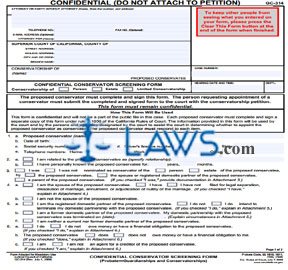
INSTRUCTIONS: CALIFORNIA CONFIDENTIAL CONSERVATOR SCREENING FORM (Form GC-314)


The form discussed in this article must be completed by every proposed California conservator. This document can be obtained from the website maintained by the California Judicial Branch.


California Confidential Conservator Screening Form GC-314 Step 1: In the box at the top of the page, enter the name of your attorney, their state bar number, their telephone number and the name of the client being represented. If you do not have an attorney, enter the applicable information for yourself. In either case, including a fax number or email address is optional.


California Confidential Conservator Screening Form GC-314 Step 2: In the second box, enter the county in which the court is located, its street address and mailing address, the city and zip code, and the branch name.


California Confidential Conservator Screening Form GC-314 Step 3: In the third box, enter the name of the proposed conservatee.


California Confidential Conservator Screening Form GC-314 Step 4: In the fourth box, enter the case number.


California Confidential Conservator Screening Form GC-314 Step 5: Indicate with a check mark whether this concerns conservatorship of a person, estate or a limited conservatorship.


California Confidential Conservator Screening Form GC-314 Step 6: In the next two blank boxes, enter the hearing date and time and the department.


California Confidential Conservator Screening Form GC-314 Step 7: On line 1a, enter your name.


California Confidential Conservator Screening Form GC-314 Step 8: On line 1b, enter your date of birth.


California Confidential Conservator Screening Form GC-314 Step 9: On line 1c, enter your Social Security number.


California Confidential Conservator Screening Form GC-314 Step 10: On line 1d, enter your driver's license number and the state in which it was issued.


California Confidential Conservator Screening Form GC-314 Step 11: On line 1e, enter your home and work telephone numbers.


California Confidential Conservator Screening Form GC-314 Step 12: Check line 2a if you are related to the proposed conservatee and specify your relationship.


California Confidential Conservator Screening Form GC-314 Step 13: Check line 2b if you personally know the proposed conservatee and enter the number of years and months you have known them.


California Confidential Conservator Screening Form GC-314 Step 14: Check all applicable statements on line 3.


California Confidential Conservator Screening Form GC-314 Step 15: Complete the rest of the form as instructed.


Download the PDF file .

Schedule A, Receipts, Rent—Standard Account

Schedule A, Receipts, Rent—Standard Account


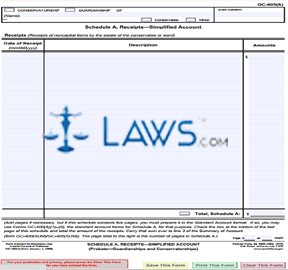
INSTRUCTIONS: CALIFORNIA SCHEDULE A, RECEIPTS, RENT — STANDARD ACCOUNT (Form GC-400(A)(4))


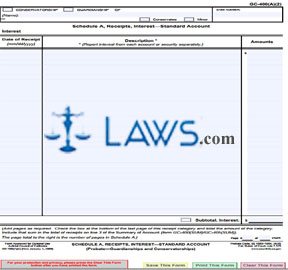
The form discussed in this article is used to document rent collected from properties by a California conservatorship or trust. This form can be obtained from the website maintained by the California Judicial Board.


California Schedule A, Receipts, Rent — Standard Account GC-400(A)(4) Step 1: Check the first box if you are filing on behalf of a conservatorship.


California Schedule A, Receipts, Rent — Standard Account GC-400(A)(4) Step 2: Check the second box if you are filing on behalf of a guardianship.


California Schedule A, Receipts, Rent — Standard Account GC-400(A)(4) Step 3: Enter the name of the conservatee or minor.


California Schedule A, Receipts, Rent — Standard Account GC-400(A)(4) Step 4: Check the third box if you have entered the name of a conservatee.


California Schedule A, Receipts, Rent — Standard Account GC-400(A)(4) Step 5: Check the fourth box if you have entered the name of a minor.


California Schedule A, Receipts, Rent — Standard Account GC-400(A)(4) Step 6: Enter the case number assigned to the estate where indicated.


California Schedule A, Receipts, Rent — Standard Account GC-400(A)(4) Step 7: In the first column of the table provided, enter the month, date and year of each receipt.


California Schedule A, Receipts, Rent — Standard Account GC-400(A)(4) Step 8: In the second column, enter a description of each receipt. Report rents from each property separately.


California Schedule A, Receipts, Rent — Standard Account GC-400(A)(4) Step 9: In the third column, enter the amount of each receipt.


California Schedule A, Receipts, Rent — Standard Account GC-400(A)(4) Step 10: If there is not sufficient space to document all rent received, complete additional pages as necessary. At the bottom of each page, enter the number of each page and the total number of pages.


California Schedule A, Receipts, Rent — Standard Account GC-400(A)(4) Step 11: Total the value of rent from all pages at the bottom of the table.


California Schedule A, Receipts, Rent — Standard Account GC-400(A)(4) Step 12: Include the value from the bottom of the table on line 3 of the Summary of Account form.


Download the PDF file .

Distributions to Conservatee or Ward—Standard and Simplified Accounts

Distributions to Conservatee or Ward—Standard and Simplified Accounts


INSTRUCTIONS: CALIFORNIA DISTRIBUTIONS TO CONSERVATEE OR WARD — STANDARD AND SIMPLIFIED ACCOUNTS (Form GC-400(DIST)/GC-405(DIST))


The document discussed in this article is used to document distributions made to a California conservatee or ward. This document can be obtained from the website maintained by the California Judicial Branch.


California Distributions To Conservatee Or Ward — Standard And Simplified Accounts GC-400(DIST)/GC-405(DIST) Step 1: Check the first box if you are filing for a conservatorship.


California Distributions To Conservatee Or Ward — Standard And Simplified Accounts GC-400(DIST)/GC-405(DIST) Step 2: Check the second box if you are filing for a guardianship.


California Distributions To Conservatee Or Ward — Standard And Simplified Accounts GC-400(DIST)/GC-405(DIST) Step 3: Enter the name of the conservatee or minor.


California Distributions To Conservatee Or Ward — Standard And Simplified Accounts GC-400(DIST)/GC-405(DIST) Step 4: Check the third box if you entered the name of a conservatee.


California Distributions To Conservatee Or Ward — Standard And Simplified Accounts GC-400(DIST)/GC-405(DIST) Step 5: Check the fourth box if you entered the name of a minor.


California Distributions To Conservatee Or Ward — Standard And Simplified Accounts GC-400(DIST)/GC-405(DIST) Step 6: Where indicated, enter the case number.


California Distributions To Conservatee Or Ward — Standard And Simplified Accounts GC-400(DIST)/GC-405(DIST) Step 7: Specify the schedule letter where indicated.


California Distributions To Conservatee Or Ward — Standard And Simplified Accounts GC-400(DIST)/GC-405(DIST) Step 8: In the first column of the table provided, enter the date of each distribution to a conservatee or ward.


California Distributions To Conservatee Or Ward — Standard And Simplified Accounts GC-400(DIST)/GC-405(DIST) Step 9: In the second column, enter the date of the order authorizing distribution.


California Distributions To Conservatee Or Ward — Standard And Simplified Accounts GC-400(DIST)/GC-405(DIST) Step 10: In the third column, enter the check number.


California Distributions To Conservatee Or Ward — Standard And Simplified Accounts GC-400(DIST)/GC-405(DIST) Step 11: In the fourth column, enter a description of each payment.


California Distributions To Conservatee Or Ward — Standard And Simplified Accounts GC-400(DIST)/GC-405(DIST) Step 12: In the fifth column, enter the amount of each payment. Enter the total of these payments at the bottom of the table.


Download the PDF file .

Probate Proceeding Checklist

Download the PDF file .

Attorneys, Get Listed: 30% off

X