
Informal Final Settlement: Affidavit, Motion, and Order (Not electronic)
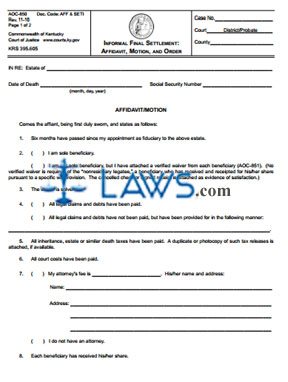
INSTRUCTIONS: KENTUCKY INFORMAL FINAL STATEMENT: AFFIDAVIT, MOTION, AND ORDER (Form AOC-850)
This article discusses the form used to request that settlement of fiduciaries' accounts and the requirements for a surety for a fiduciary be dispensed with after a Kentucky estate has been informally settled. This document can be obtained from the website maintained by the Kentucky Court of Justice.
Kentucky Informal Final Statement: Affidavit, Motion, And Order AOC-850 Step 1: Enter the case number on the first blank line.
Kentucky Informal Final Statement: Affidavit, Motion, And Order AOC-850 Step 2: Indicate whether you are filing with a district or probate court by circling the appropriate word on the second line.
Kentucky Informal Final Statement: Affidavit, Motion, And Order AOC-850 Step 3: Enter the county on the next blank line.
Kentucky Informal Final Statement: Affidavit, Motion, And Order AOC-850 Step 4: On the next blank line, enter the name of the estate.
Kentucky Informal Final Statement: Affidavit, Motion, And Order AOC-850 Step 5: On the next blank line, enter the date of death of the decedent.
Kentucky Informal Final Statement: Affidavit, Motion, And Order AOC-850 Step 6: On the next blank line, enter the Social Security number of the decedent.
Kentucky Informal Final Statement: Affidavit, Motion, And Order AOC-850 Step 7: On line 2, indicate with a check mark whether you are or are not the sole beneficiary.
Kentucky Informal Final Statement: Affidavit, Motion, And Order AOC-850 Step 8: On line 4, indicate with a check mark whether all legal claims and debts have or have not been paid.
Kentucky Informal Final Statement: Affidavit, Motion, And Order AOC-850 Step 9: On line 7, indicate with a check mark whether or not you have an attorney. If represented by a lawyer, enter their fee, name and address.
Kentucky Informal Final Statement: Affidavit, Motion, And Order AOC-850 Step 10: On the first blank line of the second page, enter your name.
Kentucky Informal Final Statement: Affidavit, Motion, And Order AOC-850 Step 11: On the next three blank lines, enter your address.
Kentucky Informal Final Statement: Affidavit, Motion, And Order AOC-850 Step 12: On the next blank line, enter your phone number.
Kentucky Informal Final Statement: Affidavit, Motion, And Order AOC-850 Step 13: Swear to the form before a notary public, then submit it to the court for completion.
Order for Probate
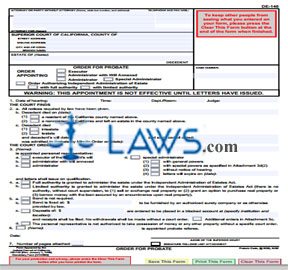
INSTRUCTIONS: CALIFORNIA ORDER FOR PROBATE (Form DE-140)
The form discussed in this article is issued by a California court to appoint an executor or administrator for an estate. This document can be obtained from the website maintained by the California Judicial Branch.
California Order For Probate DE-140 Step 1: In the first blank box, enter the name of your attorney, as well as their state bar number, address and telephone number. If not represented by an attorney, enter your name, address and telephone number. In either case, providing an email address or fax number is optional.
California Order For Probate DE-140 Step 2: In the second blank box, enter the county in which the court is located, as well as its street address, mailing address, city, zip code and branch name.
California Order For Probate DE-140 Step 3: In the third blank box, enter the name of the decedent.
California Order For Probate DE-140 Step 4: Check the first box if this order appoints an executor.
California Order For Probate DE-140 Step 5: Check the second box if this order appoints an administrator with will annexed.
California Order For Probate DE-140 Step 6: Check the third box if this order appoints an administrator.
California Order For Probate DE-140 Step 7: Check the fourth box if this order appoints a special administrator.
California Order For Probate DE-140 Step 8: Check the fifth box if this is an order authorizing independent administration of an estate. If so, indicate with a check mark whether this independent administrator will have full or limited authority.
California Order For Probate DE-140 Step 9: Where indicated, enter the case number.
California Order For Probate DE-140 Step 10: On line 1, enter the date of the hearing, as well as the time, department or room and the name of the judge.
California Order For Probate DE-140 Step 11: On line 2b, enter the date of death.
California Order For Probate DE-140 Step 12: Check the box on line 2b(1) if the decedent was a resident of the California county named above.
California Order For Probate DE-140 Step 13: Check the box on line 2b(2) if the decedent was a nonresident of California and left an estate in the county named above.
California Order For Probate DE-140 Step 14: Complete the rest of the form as instructed.
Ex Parte Petition for Approval of Sale of Personal Property and Order [same as GC-075]
![Ex Parte Petition for Approval of Sale of Personal Property and Order [same as GC-075]](https://laws.com/uploads/cms/20131024/5268f571b88b6.jpg)
INSTRUCTIONS: CALIFORNIA EX PARTE PETITION FOR APPROVAL OF SALE OF PERSONAL PROPERTY AND ORDER (Form DE-275/GC-075)
The form discussed in this article is used by a California estate personal representative, conservator or guardian to file a petition for an ex parte sale of personal property. This document can be obtained from the website maintained by the California Judicial Branch.
California Ex Parte Petition For Approval Of Sale Of Personal Property And Order DE-275/GC-075 Step 1: In the first blank box, enter the name of your attorney and their state bar number, address and telephone number. If not represented by a lawyer, enter your name, address and telephone number. In either case, providing an email address or fax number is optional.
California Ex Parte Petition For Approval Of Sale Of Personal Property And Order DE-275/GC-075 Step 2: In the second blank box, enter the county in which the court is located, as well as its street and mailing addresses, city, state and zip code.
California Ex Parte Petition For Approval Of Sale Of Personal Property And Order DE-275/GC-075 Step 3: Enter the name of the person whose estate is involved. Indicate whether this is a decedent, conservatee or minor with a check mark.
California Ex Parte Petition For Approval Of Sale Of Personal Property And Order DE-275/GC-075 Step 4: Where indicated, enter the case number.
California Ex Parte Petition For Approval Of Sale Of Personal Property And Order DE-275/GC-075 Step 5: On line 1, enter the name of the petitioner, and indicate whether this is a personal representative, conservator or guardian with a check mark.
California Ex Parte Petition For Approval Of Sale Of Personal Property And Order DE-275/GC-075 Step 6: Check the box on line 2b(1) if the property sold would have depreciated in value if not sold promptly.
California Ex Parte Petition For Approval Of Sale Of Personal Property And Order DE-275/GC-075 Step 7: Check the box on line 2b(2) if the property sold would have incurred loss or expense by being kept. State the reason on line 2e(3).
California Ex Parte Petition For Approval Of Sale Of Personal Property And Order DE-275/GC-075 Step 8: Check the box on line 2b(3) if the property was sold to provide family allowance pending receipt of other sufficient funds. Complete the rest of the form as instructed.
Order Dispensing with Notice
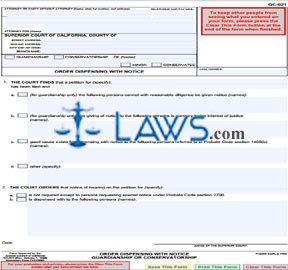
INSTRUCTIONS: CALIFORNIA ORDER DISPENSING WITH NOTICE (Form GC-021)
The form discussed in this article is issued by California courts to dispense with notice regarding hearings concerning the petition of a guardianship or conservatorship. This document can be obtained from the website maintained by the California Judicial Branch.
California Order Dispensing With Notice GC-021 Step 1: In the first blank box, enter the name of your attorney, along with their state bar number, address and telephone number. If you are not represented by an attorney, enter your name, address and telephone number. In either case, providing an email address or fax number is optional.
California Order Dispensing With Notice GC-021 Step 2: In the second blank box, enter the name of the county in which the court is located, as well as its mailing address, street address, city, zip code and branch name.
California Order Dispensing With Notice GC-021 Step 3: Check the first box if this concerns a guardianship.
California Order Dispensing With Notice GC-021 Step 4: Check the second box if this concerns a conservatorship.
California Order Dispensing With Notice GC-021 Step 5: Enter the name of the minor or conservatee.
California Order Dispensing With Notice GC-021 Step 6: Check the third box if you entered the name of a minor.
California Order Dispensing With Notice GC-021 Step 7: Check the fourth box if you entered the name of a conservatee.
California Order Dispensing With Notice GC-021 Step 8: Enter the case number where indicated.
California Order Dispensing With Notice GC-021 Step 9: On line 1, the nature of the petition should be specified.
California Order Dispensing With Notice GC-021 Step 10: Line 1a should be checked if certain persons cannot with reasonable diligence be served with notice regarding a guardianship. Enter their names below.
California Order Dispensing With Notice GC-021 Step 11: Line 1b should be checked if giving notice to certain persons is contrary to the interests of justice. Enter their names below.
California Order Dispensing With Notice GC-021 Step 12: Line 1c should be checked if good cause exists for dispensing with notice to certain persons referred to in probate code section 1460(b). Enter their names below.
California Order Dispensing With Notice GC-021 Step 13: Line 1d should be checked if notice is dispensed with for other reasons. Specify and complete the rest of the form as instructed.
Change of Residence Notice
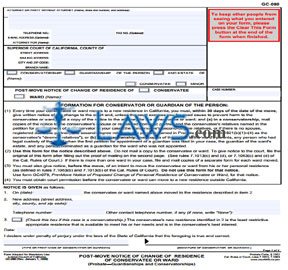
INSTRUCTIONS: CALIFORNIA POST-MOVE NOTICE OF CHANGE OF RESIDENCE OF CONSERVATEE OR WARD (Form GC-080)
The form discussed in this article must be filed by a California conservatee or guardian within 30 days every time their conservatee or ward moves to a new residence. This document can be obtained from the website maintained by the California Judicial Branch.
California Post-Move Notice Of Change Of Residence Of Conservatee Or Ward GC-080 Step 1: In the first blank box, enter the name of your attorney, as well as their state bar number, address and telephone number. If not represented by an attorney, provide your name, address and telephone number. In either instance, providing a fax number or email address is optional.
California Post-Move Notice Of Change Of Residence Of Conservatee Or Ward GC-080 Step 2: In the second blank box, enter the county in which the court is located, its street address, mailing address, city, zip code and branch name.
California Post-Move Notice Of Change Of Residence Of Conservatee Or Ward GC-080 Step 3: Indicate whether this concerns a conservatorship or guardianship with a check mark. If you also have this capacity with respect to an estate, check the box where indicated.
California Post-Move Notice Of Change Of Residence Of Conservatee Or Ward GC-080 Step 4: Enter the name of the conservatee or minor. Indicate which you have entered with a check mark.
California Post-Move Notice Of Change Of Residence Of Conservatee Or Ward GC-080 Step 5: Indicate whether this is a notice of change of residence for a conservatee or ward with a check mark.
California Post-Move Notice Of Change Of Residence Of Conservatee Or Ward GC-080 Step 6: Enter the case number where indicated.
California Post-Move Notice Of Change Of Residence Of Conservatee Or Ward GC-080 Step 7: On line 1, enter the date of the move.
California Post-Move Notice Of Change Of Residence Of Conservatee Or Ward GC-080 Step 8: On line 2, enter the new address, telephone number and other telephone contact number, if any.
California Post-Move Notice Of Change Of Residence Of Conservatee Or Ward GC-080 Step 9: Check the box on line 3 if the statement is applicable to a conservatorship.
California Post-Move Notice Of Change Of Residence Of Conservatee Or Ward GC-080 Step 10: Sign and date the last two blank lines.
Professional Fiduciary Attachment to Petition for Appointment of Guardian or Conservator
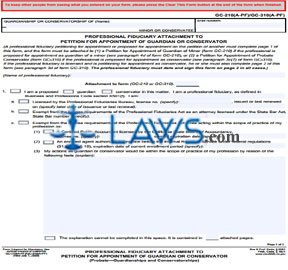
INSTRUCTIONS: CALIFORNIA PROFESSIONAL FIDUCIARY ATTACHMENT TO PETITION FOR APPOINTMENT OF GUARDIAN OR CONSERVATOR (Form GC-210(A-PF)/GC-310(A-PF))
A professional fiduciary petitioning for or proposed for a California appointment as a guardian or conservator should complete the form discussed in this article. This document can be obtained from the website maintained by the California Judicial Branch.
California Professional Fiduciary Attachment To Petition For Appointment Of Guardian Or Conservator GC-210(A-PF)/GC-310(A-PF) Step 1: In the first blank box, enter the name of the minor or conservatee.
California Professional Fiduciary Attachment To Petition For Appointment Of Guardian Or Conservator GC-210(A-PF)/GC-310(A-PF) Step 2: In the second blank box, enter the case number.
California Professional Fiduciary Attachment To Petition For Appointment Of Guardian Or Conservator GC-210(A-PF)/GC-310(A-PF) Step 3: Enter the form number with which this is being filed as an attachment.
California Professional Fiduciary Attachment To Petition For Appointment Of Guardian Or Conservator GC-210(A-PF)/GC-310(A-PF) Step 4: Check line 1 if you are a proposed guardian or conservator in this matter. Indicate which with a check mark.
California Professional Fiduciary Attachment To Petition For Appointment Of Guardian Or Conservator GC-210(A-PF)/GC-310(A-PF) Step 5: Check line 1a if you are licensed by the Professional Fiduciaries Bureau and enter your license number.
California Professional Fiduciary Attachment To Petition For Appointment Of Guardian Or Conservator GC-210(A-PF)/GC-310(A-PF) Step 6: Check line 1b if you are exempt from the license requirements of the Professional Fiduciaries Act as an attorney licensed under the State Bar Act. If so, enter your state bar number.
California Professional Fiduciary Attachment To Petition For Appointment Of Guardian Or Conservator GC-210(A-PF)/GC-310(A-PF) Step 7: Check box line 1c if exempt from the license requirements of the Professional Fiduciaries Act while acting within the scope of your profession as documented in the remainder of this section.
California Professional Fiduciary Attachment To Petition For Appointment Of Guardian Or Conservator GC-210(A-PF)/GC-310(A-PF) Step 8: At the top of the second page, enter the name of the minor or conservatee and the case number.
California Professional Fiduciary Attachment To Petition For Appointment Of Guardian Or Conservator GC-210(A-PF)/GC-310(A-PF) Step 9: Complete section 2 as instructed, then print and sign your name at the bottom of the page.
Order Appointing Court Investigator
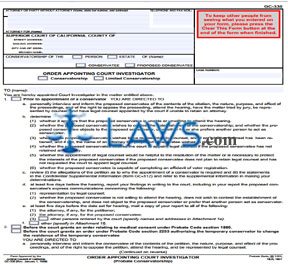
INSTRUCTIONS: CALIFORNIA ORDER APPOINTING COURT INVESTIGATOR (Form GC-330)
The form discussed in this article is issued by a California court to appoint an investigator regarding the appointment of a general or temporary conservator, as well as prior to the authorization of a temporary conservator to change the residence of the temporary conservatee or before an order is issued related to medical consent. This document can be obtained from the website maintained by the California Judicial Branch.
California Order Appointing Court Investigator GC-330 Step 1: In the blank box at the top of the page, the petitioner should enter the name of their attorney, the attorney's state bar number, address, telephone number and the name of the party represented. Entering their fax number or email address is optional.
California Order Appointing Court Investigator GC-330 Step 2: If you are not represented by an attorney, enter your name, address and telephone number. Enter your fax number or email address is optional.
California Order Appointing Court Investigator GC-330 Step 3: In the second blank box, enter the count in which the court issuing this order is located, as well as its street address, mailing address, city and zip code and branch name.
California Order Appointing Court Investigator GC-330 Step 4: Check the first box if this concerns conservatorship of a person.
California Order Appointing Court Investigator GC-330 Step 5: Check the second box if this concerns conservatorship of an estate and enter the name of the person whose estate it is.
California Order Appointing Court Investigator GC-330 Step 6: Check the third box if this concerns a conservatee.
California Order Appointing Court Investigator GC-330 Step 7: Check the fourth box if this concerns a proposed conservatee.
California Order Appointing Court Investigator GC-330 Step 8: Check the fifth box if this concerns appointment of a court investigator for a conservatorship.
California Order Appointing Court Investigator GC-330 Step 9: Check the sixth box if this concerns appointment of a court investigator for a limited conservatorship.
California Order Appointing Court Investigator GC-330 Step 10: Enter the case number where indicated.
California Order Appointing Court Investigator GC-330 Step 11: Check all applicable statements on lines 1 and 2.
California Order Appointing Court Investigator GC-330 Step 12: At the top of the second page, enter the name of the conservatee or proposed conservatee and the case number. Complete the rest of the form as instructed.
Schedule A, Receipts, Other Receipts—Standard Account
INSTRUCTIONS: CALIFORNIA SCHEDULE A, RECEIPTS, OTHER RECEIPTS — STANDARD ACCOUNT (Form GC-400(A)(6))
The form discussed in this article is used by a California conservatorship or guardianship to document all receipts not described on other Schedule A receipts forms. This document can be obtained from the website maintained by the California Judicial Board.
California Schedule A, Receipts, Other Receipts — Standard Account GC-400(A)(6) Step 1: Check the first box if you are filing for a conservatorship.
California Schedule A, Receipts, Other Receipts — Standard Account GC-400(A)(6) Step 2: Check the second box if you are filing for a guardianship.
California Schedule A, Receipts, Other Receipts — Standard Account GC-400(A)(6) Step 3: Enter the name of the conservatee or minor.
California Schedule A, Receipts, Other Receipts — Standard Account GC-400(A)(6) Step 4: Check the third box if you entered the name of a conservatee.
California Schedule A, Receipts, Other Receipts — Standard Account GC-400(A)(6) Step 5: Check the fourth box if you entered the name of a minor.
California Schedule A, Receipts, Other Receipts — Standard Account GC-400(A)(6) Step 6: Enter the case number where indicated.
California Schedule A, Receipts, Other Receipts — Standard Account GC-400(A)(6) Step 7: Above the table provided, enter a general description of these other receipts.
California Schedule A, Receipts, Other Receipts — Standard Account GC-400(A)(6) Step 8: In the first column of the table, enter the date of each receipts.
California Schedule A, Receipts, Other Receipts — Standard Account GC-400(A)(6) Step 9: In the second column, enter a description of each receipt. Describe receipts from each source separately.
California Schedule A, Receipts, Other Receipts — Standard Account GC-400(A)(6) Step 10: In the third column, enter the amount of each receipt.
California Schedule A, Receipts, Other Receipts — Standard Account GC-400(A)(6) Step 11: Document additional receipts on additional pages as necessary.
California Schedule A, Receipts, Other Receipts — Standard Account GC-400(A)(6) Step 12: Enter the total of all receipts at the bottom of the table.
California Schedule A, Receipts, Other Receipts — Standard Account GC-400(A)(6) Step 13: Include the value at the bottom of the table in the total of receipts on line 3 on the Summary of Account.
Non-Cash Assets on Hand at End of Account Period —Standard and Simplified Accounts
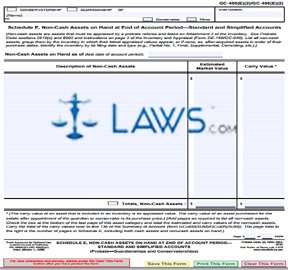
INSTRUCTIONS: CALIFORNIA SCHEDULE E, NON-CASH ASSETS ON HAND AT END OF ACCOUNT PERIOD — STANDARD AND SIMPLIFIED ACCOUNTS (Form GC-400(E)(2)/GC-405(E)(2)
The form discussed in this article is used by California guardianships and conservatorships to document the non-cash assets they have on hand at the end of an accounting period. This document can be obtained from the website maintained by the California Judicial Branch.
California Schedule E, Non-Cash Assets On Hand At End Of Account Period — Standard And Simplified Accounts GC-400(E)(2)/GC-405(E)(2) Step 1: Check the first box if you are filing for a conservatorship.
California Schedule E, Non-Cash Assets On Hand At End Of Account Period — Standard And Simplified Accounts GC-400(E)(2)/GC-405(E)(2) Step 2: Check the second box if you are filing for a guardianship.
California Schedule E, Non-Cash Assets On Hand At End Of Account Period — Standard And Simplified Accounts GC-400(E)(2)/GC-405(E)(2) Step 3: Enter the name of the conservatee or minor.
California Schedule E, Non-Cash Assets On Hand At End Of Account Period — Standard And Simplified Accounts GC-400(E)(2)/GC-405(E)(2) Step 4: Check the third box if you have entered the name of a conservatee.
California Schedule E, Non-Cash Assets On Hand At End Of Account Period — Standard And Simplified Accounts GC-400(E)(2)/GC-405(E)(2) Step 5: Check the fourth box if you have entered the name of a minor.
California Schedule E, Non-Cash Assets On Hand At End Of Account Period — Standard And Simplified Accounts GC-400(E)(2)/GC-405(E)(2) Step 6: Enter the case number where indicated.
California Schedule E, Non-Cash Assets On Hand At End Of Account Period — Standard And Simplified Accounts GC-400(E)(2)/GC-405(E)(2) Step 7: Enter the last day of the account period where indicated.
California Schedule E, Non-Cash Assets On Hand At End Of Account Period — Standard And Simplified Accounts GC-400(E)(2)/GC-405(E)(2) Step 8: In the first column of the table provided, enter a description of each non-cash asset. In the second column, enter its estimated market value. In the third column, enter its carry value. Enter the total of both values at the bottom of the table.